Insights / Articles
How to Build a Credit Risk Data Pipeline with Company APIs
LVMH trades in Romania as Somarest SRL, so a name match finds nothing. Assemble your credit risk API pipeline in six steps, one dated record per borrower.

- Company APIs supply most of the data a credit risk pipeline needs.
- Normalize data and align it to the right dates to avoid inaccurate predictions.
- Tools like Veridion help resolve companies to one stable ID and add context to the pipeline.
Company APIs can help you build a credit risk data pipeline to assess and compare borrowers faster.
But simply connecting different APIs isn't enough to produce reliable credit assessments.
You also need to match data to the right companies, standardize it, and keep it up to date. Just as importantly, you need to store reusable features and make them available to both credit risk models and analysts in their rating workflows.
This guide walks through each of these steps.
1. Resolve Every Borrower to One Company Record
The first step is making sure you're looking at the right company. If you skip this, your pipeline might link a borrower to the wrong business and end up using another company's financial data to assess its credit risk.
Various factors can lead to company mismatches, such as similar company names, mergers, acquisitions, and parent-subsidiary relationships.
For example:
- Systems might mix up businesses with similar names.
- They might also continue using old company names that have changed after a merger.
- Finally, they could fail to connect a parent company with a local business operating under a different name.
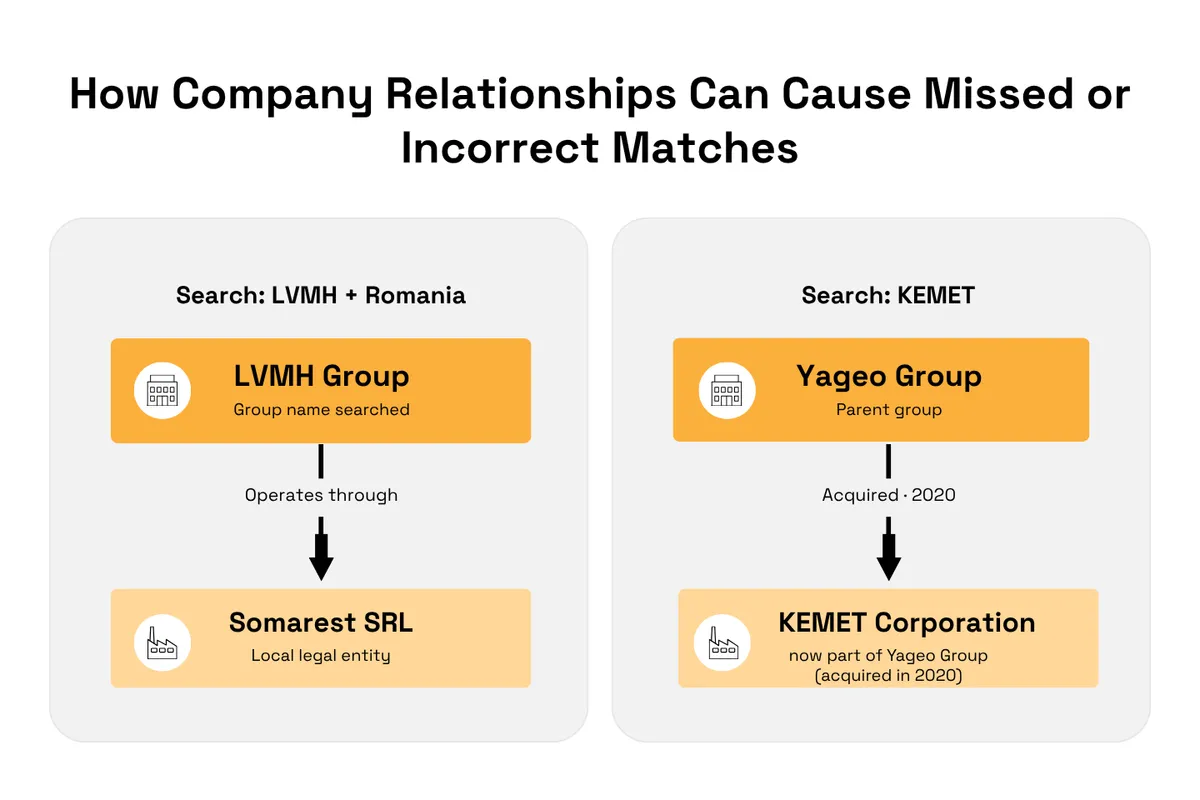
Say you're searching for the luxury group LVMH in Romania without knowing that it operates there through a local company called Somarest SRL.
Since the names are completely different, a system matching names alone could fail to identify Somarest SRL and return no results at all.
Another example is KEMET CORP, which Yageo Group acquired in 2020. If your records still list KEMET as a standalone company, your pipeline needs to know that it is now part of Yageo, so it can connect the borrower to the right corporate group.
In both cases, your pipeline needs to recognize the relationship without mixing up the companies.
Source: Veridion
To avoid these types of mismatches, always match each borrower to the correct legal entity before pulling in more data.
You might start with a company name, address, registration number, or internal borrower ID.
However, since these details can be incomplete or inconsistent across sources, you need a way to identify the right company even when the information doesn't match exactly.
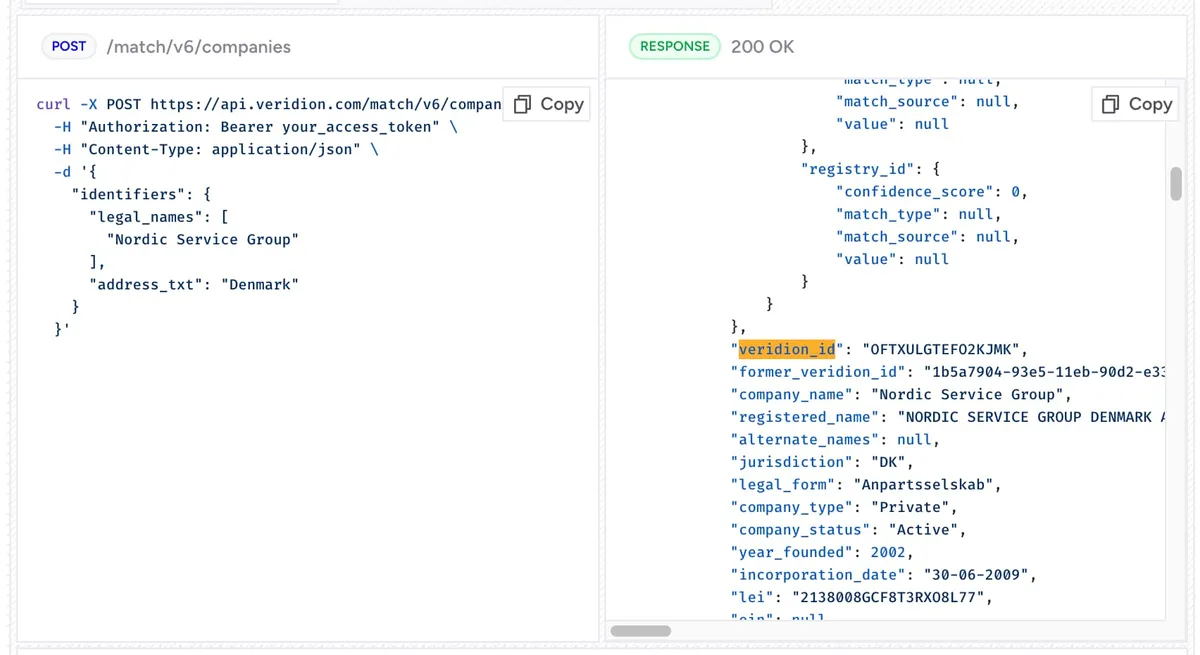
Veridion's Match & Enrich API helps you do this by returning a unique veridion_id for each entity.
By linking it to your internal borrower ID, you can give your pipeline a consistent company reference for combining data from different sources.
Source: Veridion
Veridion also returns a match confidence score between 0 and 1, so you can see how certain the match is.
If the input is too generic, such as just a company name and a country, the API returns up to five ranked candidates. Your pipeline should send low-confidence or ambiguous results for manual review instead of passing them straight to the model.
2. Pull Financial and Company Data From Separate APIs
Once you've identified the borrower, the next step is enriching its record with two types of information: financial data and company intelligence.
Financial data shows how a company is performing, while company intelligence provides context about its structure, industry, operations, and status.
To get the full picture, you'll need APIs that provide both.
Financial data APIs provide reported figures, such as:
- Assets
- Earnings
- Revenue
- Liabilities
- Cash flow
One example is the U.S. Securities and Exchange Commission's EDGAR APIs, which provide structured financial data from public-company filings, including Forms 10-K and 10-Q.

Source: SEC
Company intelligence APIs, on the other hand, provide details such as:
- Company status
- Employee counts
- Operating locations
- Industry classifications
- Registered company names
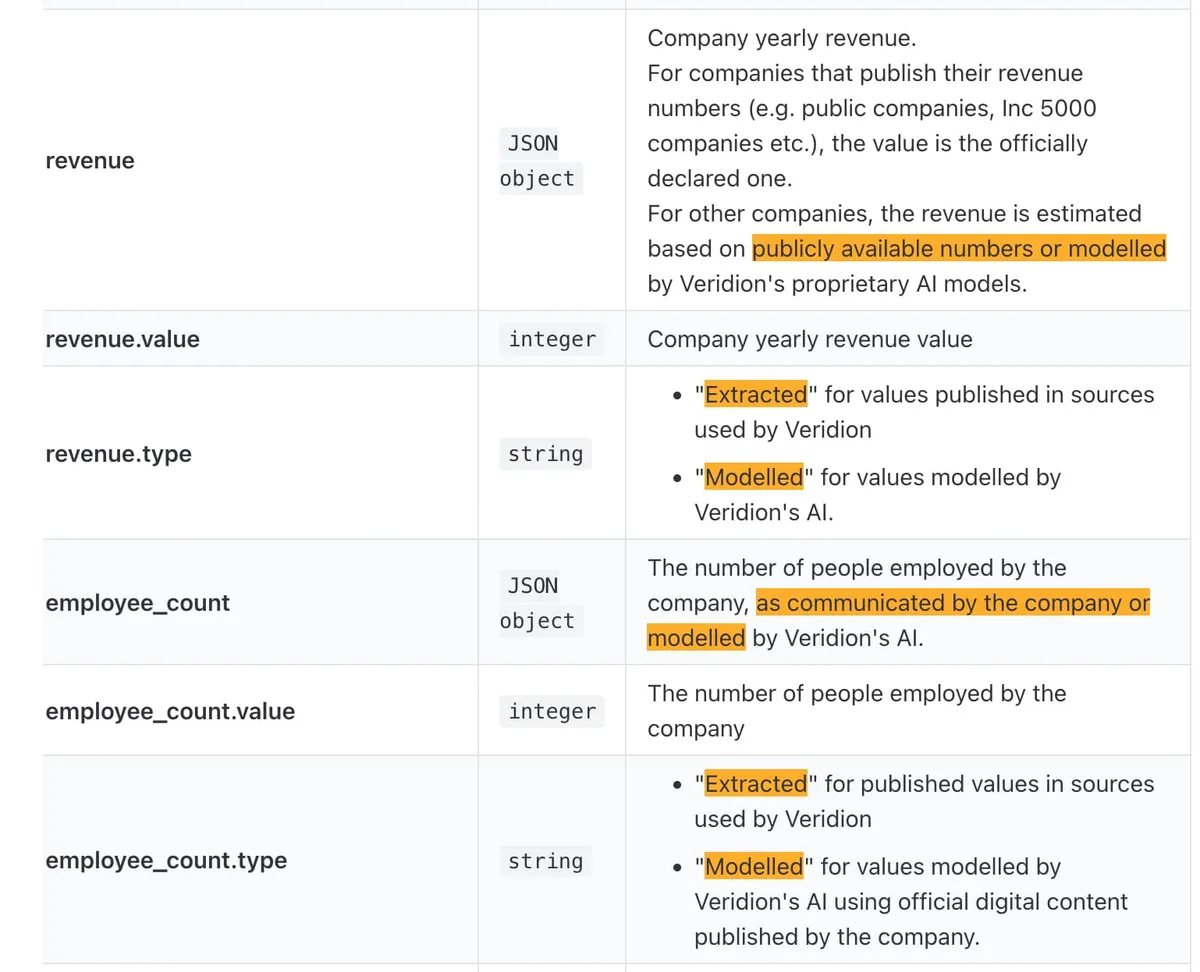
These APIs typically pull company data from various sources, like company websites and news outlets. They extract some values directly from the sources, while estimating others based on the available information.
Veridion makes the difference explicit by identifying the values as either Extracted or Modelled:
Source: Veridion
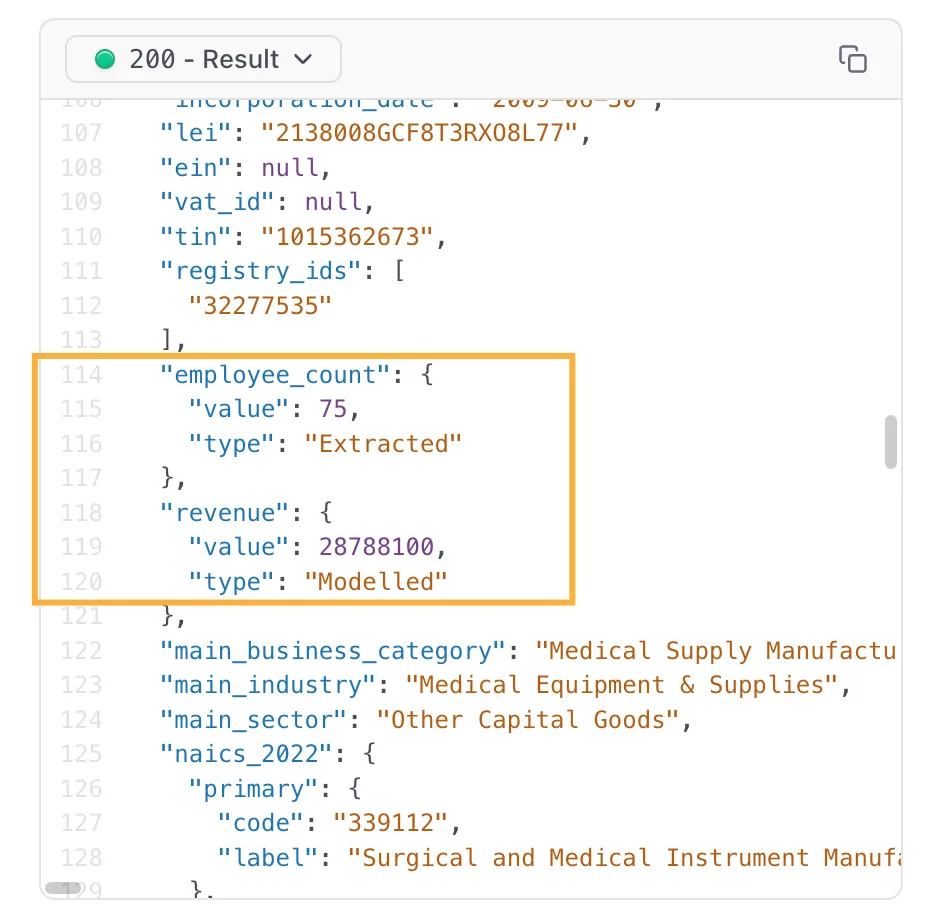
For example, the API might extract the employee count from existing sources and estimate the revenue based on available data.
Your system should label this difference so analysts and models don't treat estimates as verified figures.
Here's what this might look like:
Source: Veridion
At this step, you should also decide which provider will serve as your foundational data layer.
The purpose of this layer is to give you a consistent reference point for connecting company information from different sources.
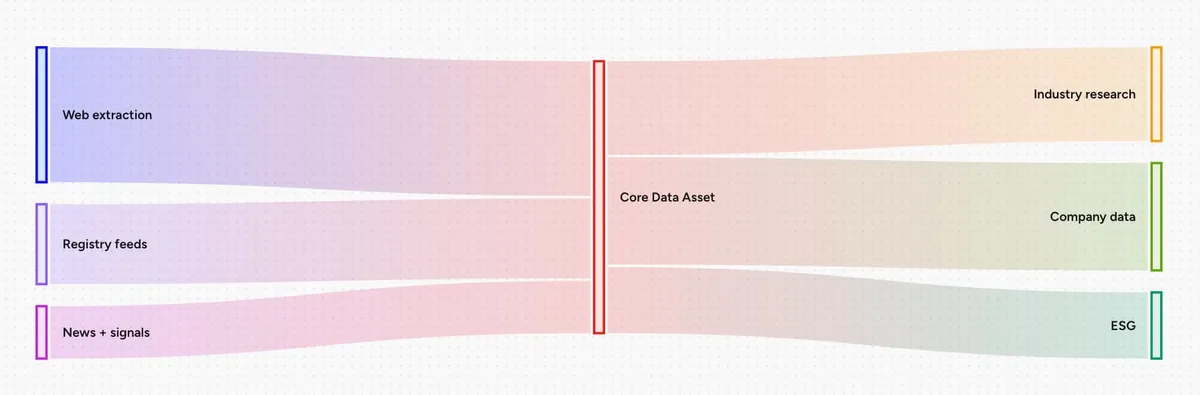
For example, a global market-research firm, whose clients include financial institutions running credit analysis, wanted to expand from industry reports into company-level data and ESG products. After comparing data quality against another provider, it chose Veridion as the foundational data layer for all three product lines.
It connected Veridion's company IDs to its existing identifiers without migrating its systems, so its products now run on the same company records instead of separate vendor feeds that didn't fully reconcile.
Source: Veridion
You can take the same approach in your credit risk pipeline.
If you choose Veridion as your foundational provider, use the veridion_id as your main company reference.
Then, for each borrower, create a mapping between that ID, your internal borrower ID, and the IDs used by your financial data providers.
This way, even if different APIs use different identifiers for the same business, your pipeline knows which records belong together and can combine their data under the correct company.
3. Normalize the Data and Align It to the Right Point in Time
After collecting data from different APIs, you need to standardize it so the values are consistent and comparable. For a credit risk pipeline, this means:
- Aligning financial figures to the correct reporting periods (e.g., annual vs. quarterly revenue).
- Using consistent field names and units across sources (e.g., converting all revenue figures to USD).
- Keeping reported or extracted values separate from modeled estimates (e.g., reported vs. estimated employee counts).
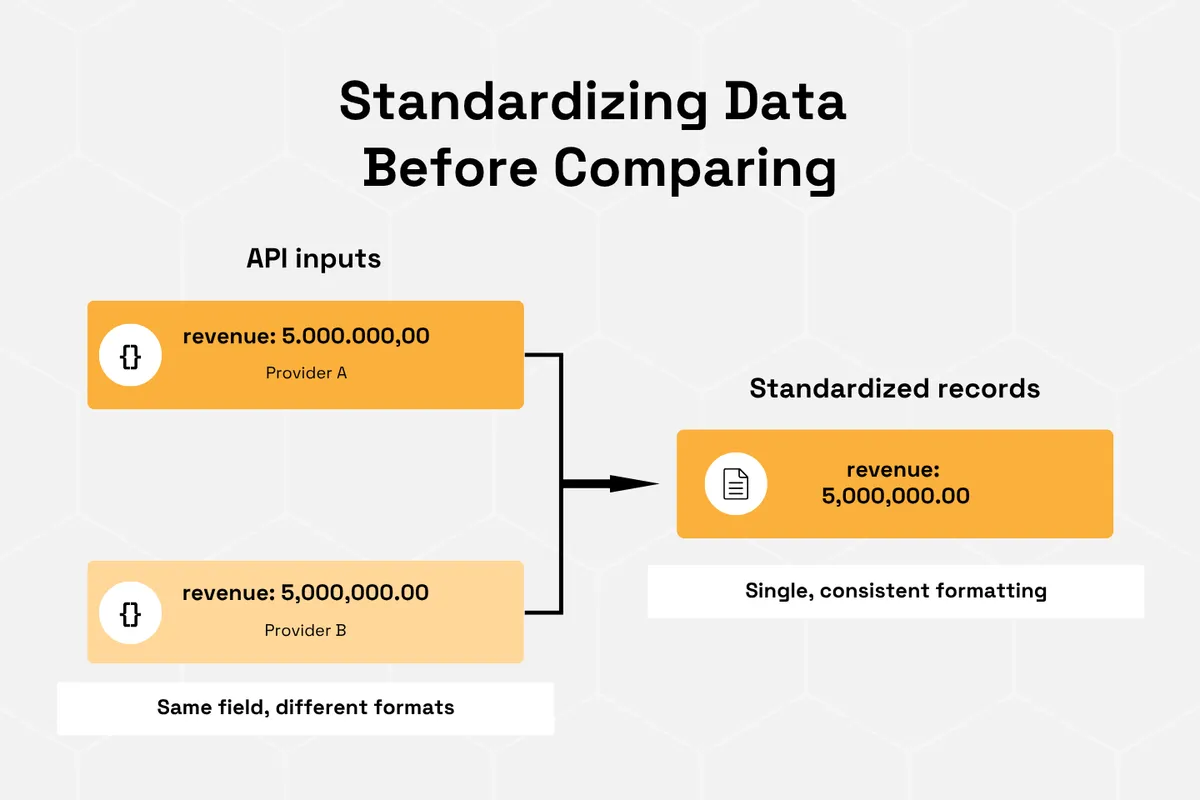
This is especially important when using APIs from different providers, as they might use different units, formats, or reporting periods for the same information.
For example, one provider might report revenue in euros, while another uses U.S. dollars. Comparing the two without converting them first leads to incorrect conclusions.
Although this issue is more common when combining data from different APIs, it can also occur within a single structured data source.
The SEC's EDGAR documentation, for example, notes that financial facts grouped into a calendar period can still have different reporting start and end dates.

Source: SEC
Always check whether your data needs normalizing, even if it comes from a single API.
If it does, standardize it before passing it to the next step in your pipeline.
Source: Veridion
Another issue to watch out for is using current company data when training a credit risk model on past defaults.
For the model to learn how to predict future defaults, it should only see the information that would have been available on the date of each prediction, without knowing what happened afterward.
For example, if you're training the model to predict whether a company would default based on its situation in 2023, it should only see information that was available in 2023, not what you know about the company today:
Data to include | Data to exclude | |
|---|---|---|
Employee count | ✓ The number of employees known in 2023 | ✖ The company's current headcount |
Financial performance | ✓ Available by 2023 | ✖ Revenue or profits reported in later years |
Company status | ✓ Whether the company was active in 2023 | ✖ Whether it closed down in 2025 |
Ownership | ✓ As known in 2023 | ✖ Acquisitions that happened in 2024 |
Using information from later dates is called look-ahead bias. It can make your model appear more accurate during training than it would be when making real predictions.
The challenge is that many company APIs return the latest available information, rather than what was known about a company several years ago.
To avoid this, your pipeline should save every API response along with:
- The date you retrieved the data.
- The provider's own timestamp, such as Veridion's last_updated_at, which shows when Veridion last extracted and verified the company's information.
Instead of overwriting old records, keep each version so you can build a history of what was available at different points in time. That way, you can use the data available on each prediction date when training your model on past defaults.
4. Store Features Where Training and Scoring Can Reuse Them
Once your data is clean and correctly dated, the next step is storing the features your credit models will use.
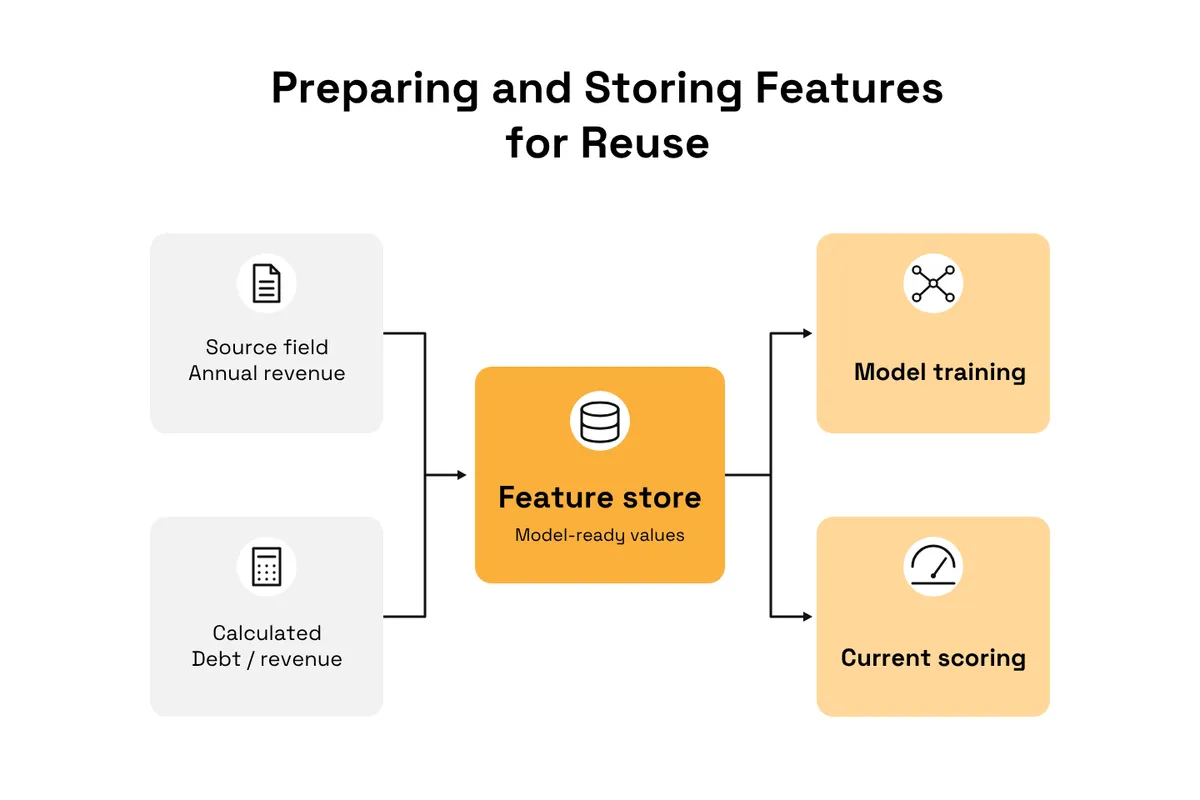
A feature is a piece of information used as input to a machine learning model, such as a company's employee count or debt-to-equity ratio. It can come directly from an API or be calculated from several values.
Many credit teams use a feature store to keep these values in one place, so they can use them both when training models on historical data and when scoring borrowers today.
Source: Veridion
Your company data could support features such as:
- Operating footprint: How many physical locations a company has.
- Company status change: Whether a business has recently changed from active to inactive.
- Corporate group membership: Whether the borrower belongs to a larger parent company.
Company intelligence APIs should provide the data you need to build these features.
For example, Veridion provides the following fields:
- operational_footprint.total_locations shows how many physical locations a company has.
- company_status shows whether a company is active or inactive according to its registry, so storing it over time lets you spot status changes.
- ultimate_parent_veridion_id, returned by Veridion's Ultimate Parent API, identifies a company's ultimate parent. Since it reflects ownership as it stands today, store it with a date like any other field.
Once you've built these features, store each value along with its source, date, and any relevant confidence information.
For example, if a feature uses employee count, preserve whether the original value was "Extracted" or "Modelled." If it depends on a company match, keep the match confidence score from the original API response.
That way, you can use the same features for model training and live scoring, while still being able to trace each value back to its source.
5. Feed the Model and the Rating Workflow
Once you've stored your features, the next step is making them available to the two main users of your pipeline: credit risk models and credit analysts.
Both use the data to assess credit risk, but in different ways.
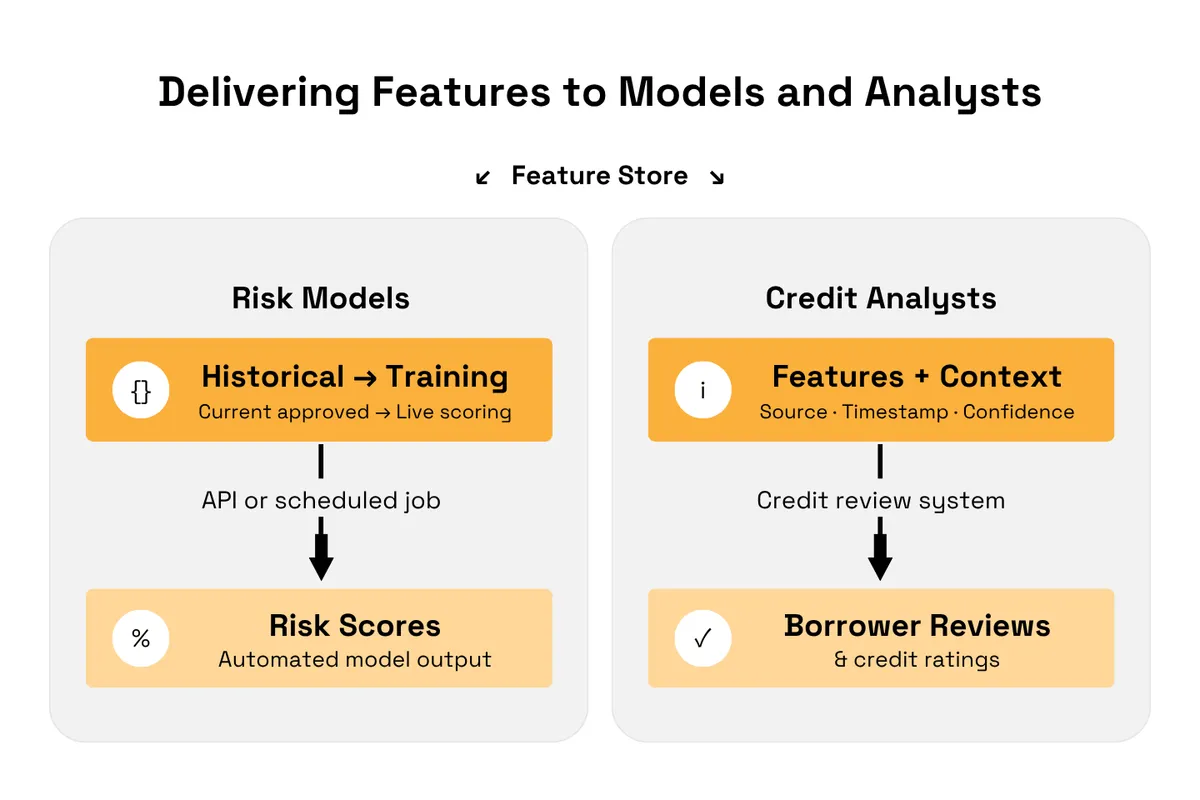
Credit risk models use features to automatically calculate risk scores. To feed them, retrieve historical feature values for training and current approved values for live scoring, using an API or scheduled job.
Credit analysts use the same information to review borrowers and assess credit ratings. To support their work, make the features available in your credit review system, along with their sources, timestamps, and confidence information.
Source: Veridion
This distinction matters because analysts need to understand how reliable the data behind a credit assessment is.
For example, if a model uses estimated revenue to calculate a risk score, the analyst reviewing that score should be able to see that the figure was estimated rather than taken from a published financial statement.
This transparency also supports the Federal Reserve's guidance on model risk management, which emphasizes understanding model assumptions and limitations.
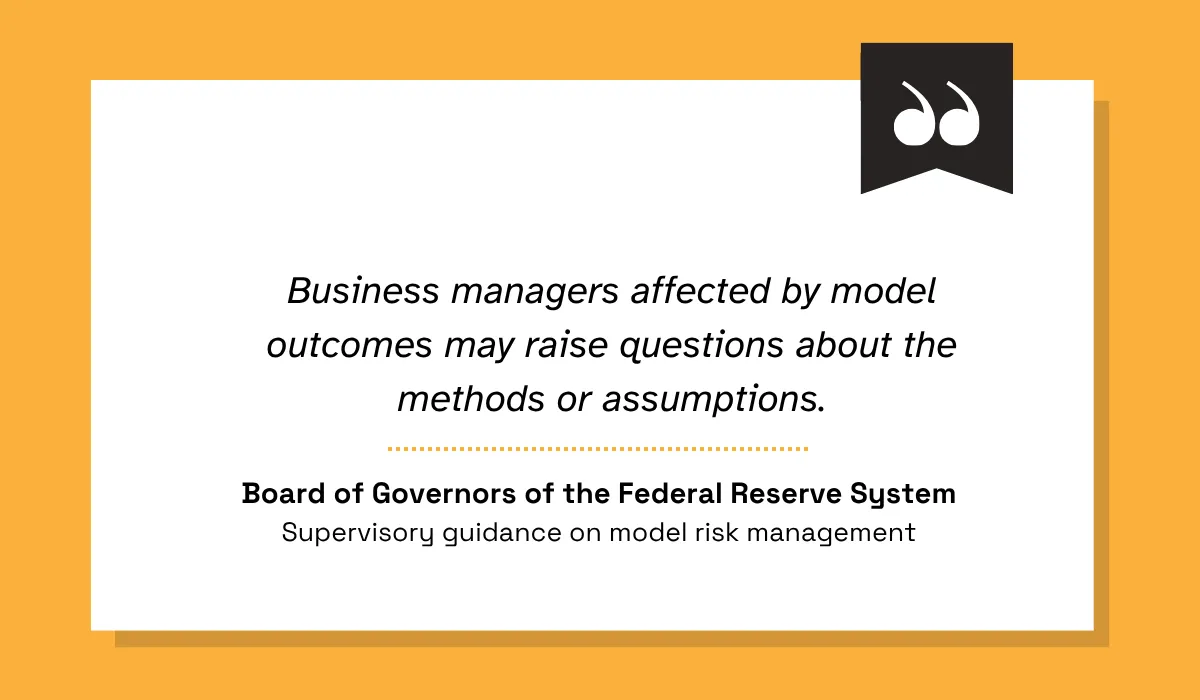
Illustration: Veridion / Quote: Board of Governors of the Federal Reserve System
However, your pipeline only supplies the data used to assess credit risk, not the decisions themselves.
Scoring logic, thresholds, and final rating decisions remain the responsibility of your model owners and credit analysts.
Before deploying these connections, check that both workflows use consistent feature definitions and that analysts can trace the data behind each assessment back to its source.
6. Monitor and Refresh the Pipeline
Finally, you need to make sure your pipeline keeps delivering accurate, complete, and up-to-date data over time.
Even if it works correctly when you first set it up, things can go wrong later. An API provider might change its response format, some fields might stop appearing, or data refreshes might fail.
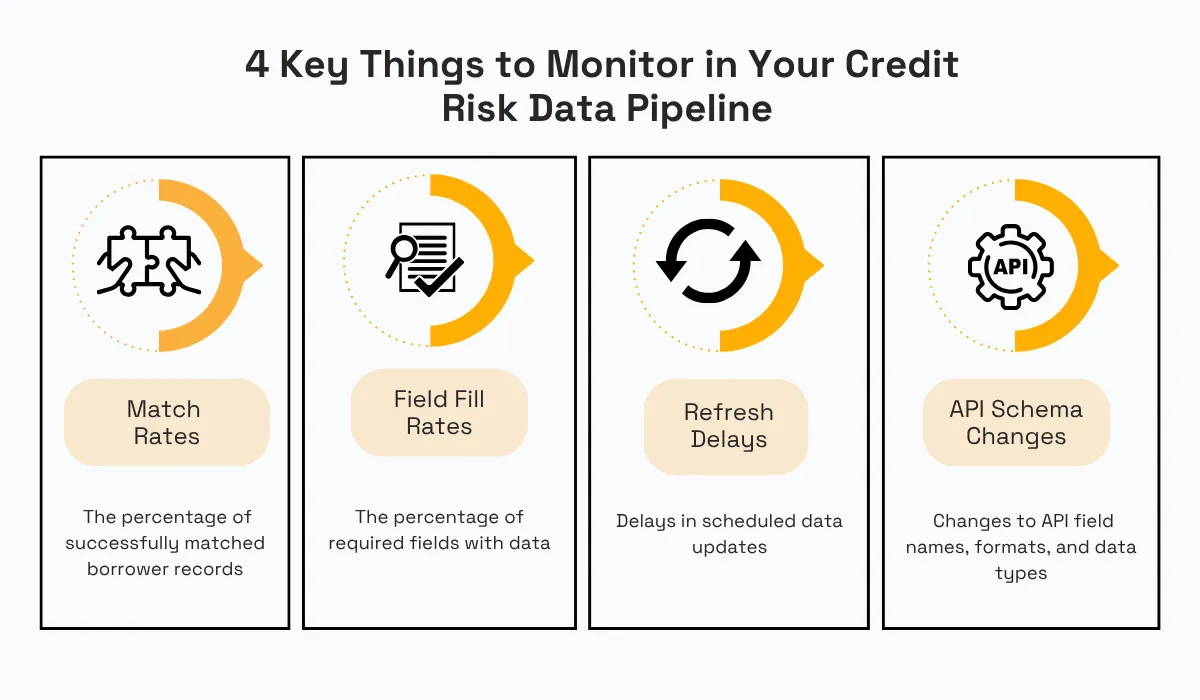
To catch these issues early, monitor:
- Match rates
- Field fill rates
- Refresh delays
- API schema changes
Each of these checks catches a different type of failure:
Source: Veridion
These issues can be hard to detect because the API might still work without showing any obvious errors.
If an API provider changes a field name but your pipeline keeps looking for the old one, your system might stop collecting that information even though the API itself is working.
This is a known issue in data pipelines.
For example, Microsoft's documentation on schema drift explains that changes to incoming fields can break data processing when pipelines depend on specific field names.

Source: Microsoft
Performing regular checks also supports the broader principles outlined by the Basel Committee on Banking Supervision, which emphasizes the importance of accurate, comprehensive, and timely risk data.
Regular monitoring keeps your pipeline accurate and helps you manage risk effectively.
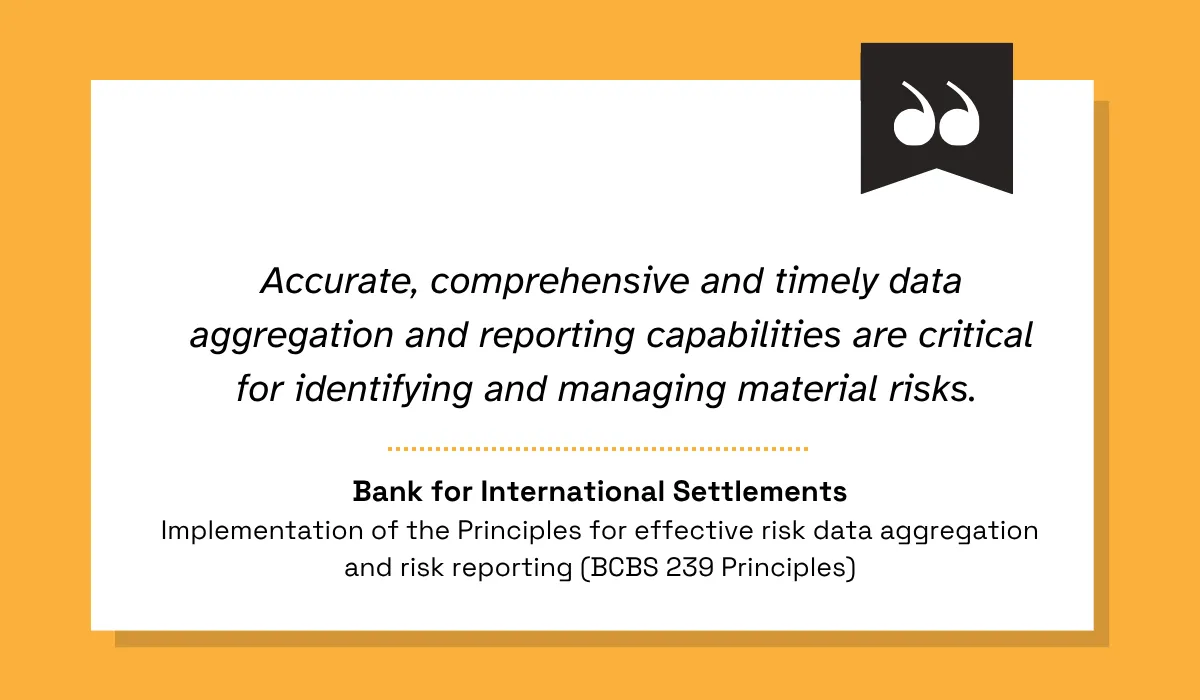
Illustration: Veridion / Quote: Basel Committee on Banking Supervision
You also need to decide how often your pipeline retrieves updated company data.
For example, if your API provider updates company profiles weekly but your pipeline only retrieves them monthly, it could take weeks for those updates to reach your credit models and analysts.
To reduce this delay, schedule regular data refreshes based on how often your providers update their records and how quickly you need the information.
Conclusion
A credit risk data pipeline is only as reliable as the two key steps we covered: identifying the right company and using data from the right point in time. Mistakes in either can affect your model features, risk scores, and credit assessments.
The remaining steps, from combining data sources to monitoring your pipeline, help keep that information consistent and reliable over time.
To find areas for improvement, compare your current pipeline against the six steps in this guide and start with the first one you're missing.
Articles
Discuss how these trends affect your organization.
Our analysts are available for a short call. Bring a specific question and we will ground it in the data.
Insights
Keep reading
More analysis, research, and outcomes grounded in live company intelligence.
Market Intelligence vs Market Research: What's the Difference?
Not sure whether you need market research or intelligence? Learn the key differences and when to use each.
Best Practices for Leveraging Market Intelligence
Not sure how to apply market intelligence effectively? Learn which practices top businesses rely on and how you can too.
How to Gather Market Intelligence In 5 Steps
In this guide, we're breaking down the five key steps you need to take to gather market intelligence that drives real action.