Insights / Articles
Top B2B Data APIs for Powering Enterprise Decision Engines
Struggling with enterprise decision-making? Unlock powerful insights with top B2B data APIs designed for decision automation.

Choosing a B2B data API isn't as simple as comparing features. APIs that look similar on paper are often built for completely different workflows.
Some APIs help you identify and verify companies. Others help you collect information from websites or identify the right people inside those companies. The best choice depends on the problem you're trying to solve, not the number of endpoints or records an API offers.
In this guide, we'll compare the leading B2B data APIs based on the problems they solve, how they collect data, and the workflows they're designed for. By the end, you'll know which API best fits your workflow.
Veridion
If you're sourcing suppliers, enriching CRM records, or verifying businesses, you first need to make sure your records point to the right company.
That's harder than it sounds. The same company can appear differently across your CRM and ERP system. In other cases, your records may treat a parent company and its subsidiary as the same business when they're actually separate organizations.
If you match the wrong company, you could approve the wrong supplier or enrich the wrong CRM account.
Veridion is built to solve that problem.
Every endpoint works against the same continuously resolved company graph, so every service starts with the same company record. Once you've resolved a company, every other endpoint builds on that same record instead of matching the business again.
For most workflows, that process starts with the Match & Enrich API.
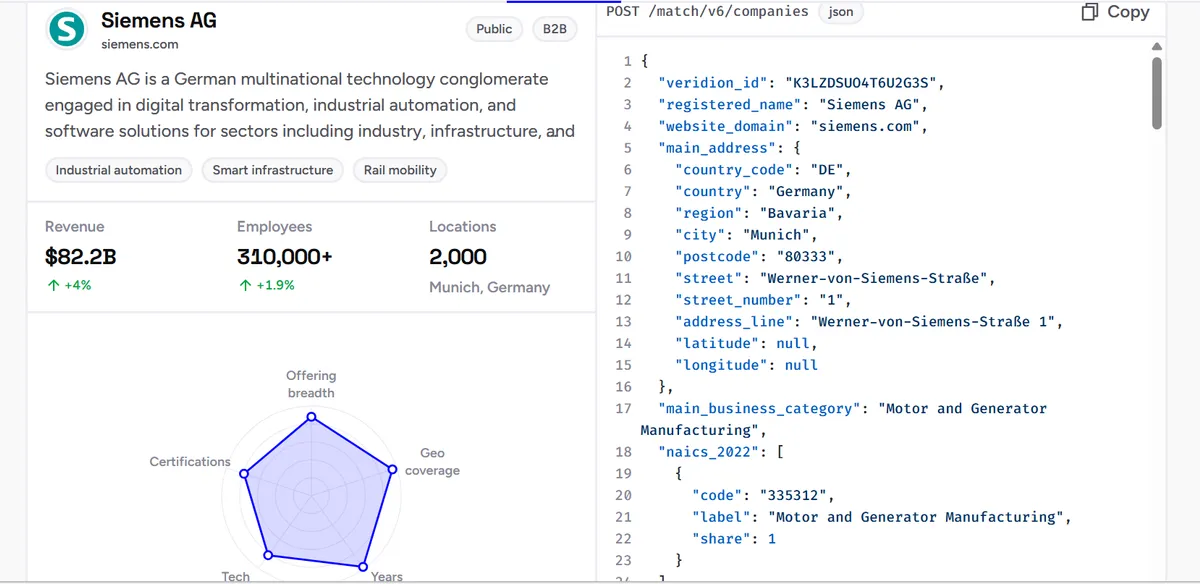
You submit a company name together with a second identifier, such as a website or registry ID. Before evaluating a match, Veridion validates and standardizes the information you provide. It normalizes addresses and converts websites to their root domain, so formatting differences don't affect the result.
When your inputs clearly point to one company, Match & Enrich returns that business. However, if they could refer to more than one company, it returns a ranked list of candidates instead of forcing a match.
That helps prevent supplier records or customer accounts from being linked to the wrong organization.
Source: Veridion
Once Match & Enrich identifies the correct company, it returns a veridion_id. You can use that identifier across Corporate Groups, ESG, and the rest of the platform without matching the same business again. That keeps supplier records and CRM accounts aligned as your workflow grows.
Veridion also shows why it matched a particular company.
Each response includes a resolution summary, an overall confidence score, and confidence for individual attributes. For example, you might automatically approve suppliers whose registered name and website both match with high confidence. Records with conflicting identifiers can then be routed for manual review.
Sometimes you also need to find companies that aren't already in your CRM or supplier database. That's where the Search API comes in.
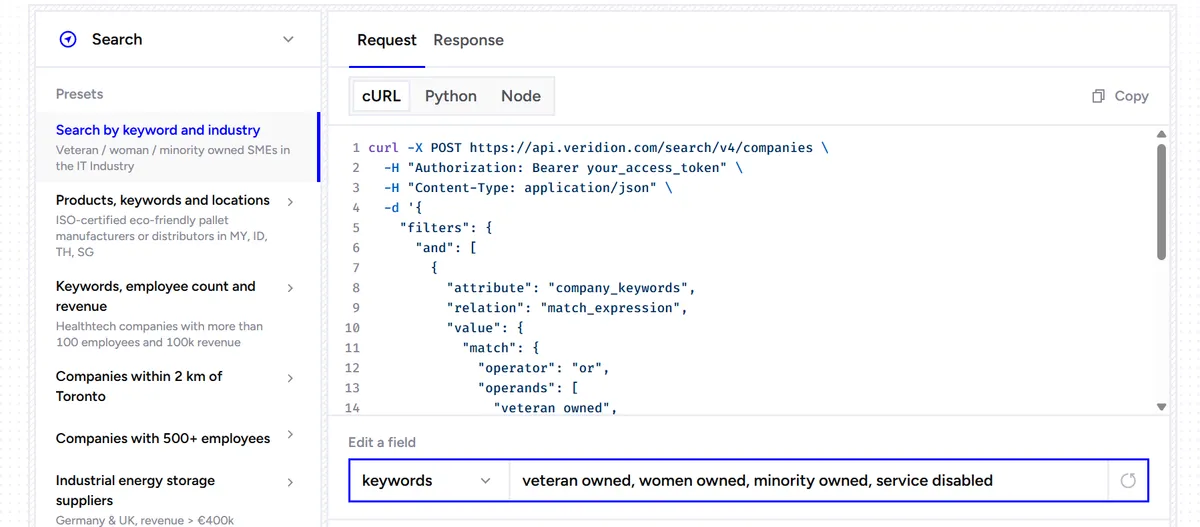
You can search for manufacturers producing a specific component or suppliers in a target region. You can then narrow the results by industry or company size. Some filters combine multiple signals rather than relying on a single field.
Source: Veridion
For example, a product search considers company descriptions and website content alongside product names before ranking results. That helps you build supplier shortlists without manually reviewing hundreds of companies.
That difference becomes clearer when you compare Veridion with the other APIs in this list.
Bright Data starts with websites and helps you collect information from them. Coresignal starts with large company and employee datasets that you can integrate into your own workflows.
Veridion, however, starts by making sure you're working with the right company. From there, every other endpoint works from that same resolved company record.
That focus also explains what Veridion isn't designed to do. It isn't a contact database for finding verified email addresses, and it isn't a web scraping platform that captures live website content.
Veridion focuses on getting the first step right.
If your procurement, supplier management, CRM enrichment, or compliance workflows depend on accurate company data, that's where Veridion delivers the greatest value.
Coresignal
Many B2B data providers return datasets that are already cleaned, deduplicated, and enriched. That's convenient if you're happy to work with the provider's version of the data.
But if your work depends on investment research, competitive intelligence, or market research, you may want more control over how the data is prepared before you use it.
Coresignal gives you that flexibility.
Instead of deciding how the data should be prepared before you receive it, it lets you choose the processing level that best fits your workflow.
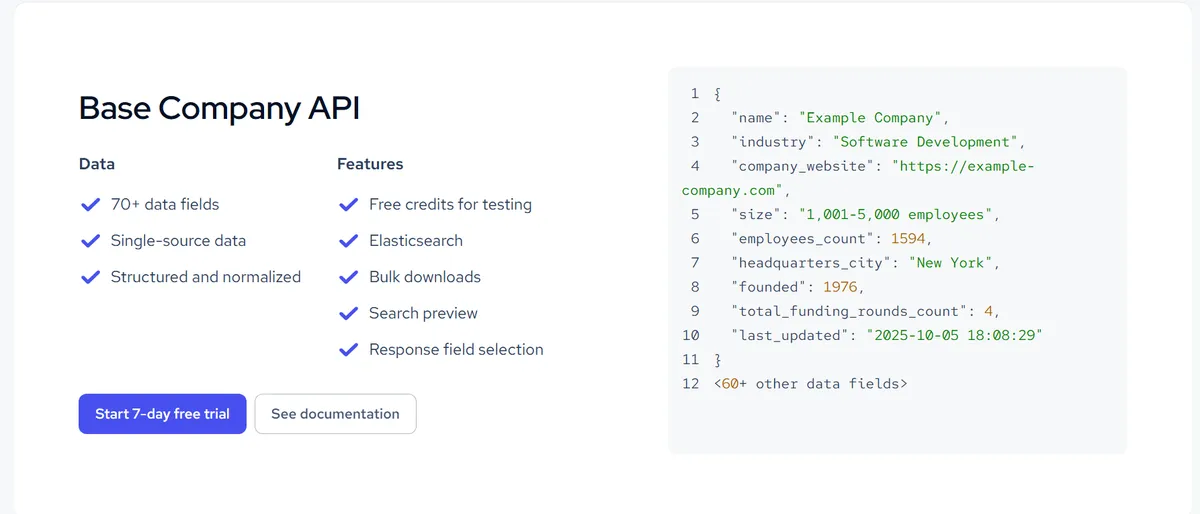
Company, employee, and job data is available in three processing levels:
- Base
- Clean
- Multi-source
Base provides structured data with minimal processing. Clean standardizes and deduplicates that data. Multi-source combines information from several public sources into a single enriched record.
That lets you decide how much preprocessing Coresignal handles and how much you want your own team to handle.
Source: Coresignal
Once you've chosen the processing level, you can retrieve company, employee, and job data through dedicated APIs.
The Company API helps you identify the organization you're analyzing. The Employee API helps you understand how a company's workforce changes over time by tracking employee profiles and professional experience. The Jobs API shows which roles the company is hiring for today.
Together, these APIs help you monitor how companies change without collecting and organizing public web data yourself.
However, there’s one implementation detail worth understanding before you start working with large datasets.
Coresignal separates Search and Collect credits. You use Search credits to find companies, employees, or jobs that match your filters. Once you've found the records you want, you use Collect credits to retrieve the full data for those results.
So if you're working with large datasets, it's a good idea to test your Search filters on a small set of records first.
Once you're happy with the results, you can run the same Search across the full dataset. This helps you avoid spending Search credits on broad queries that return thousands of records you don't actually need.
That philosophy also explains how Coresignal differs from Veridion.
Veridion starts by resolving company identity and returning a verified company record that every other endpoint builds on. Coresignal starts by giving you control over how company, employee, and job data is prepared.
That difference matters if you want to decide how much preprocessing happens before you analyze the data.
This flexibility comes with one important limitation, though.
Coresignal isn't designed as a contact intelligence platform. While it includes professional email addresses when they're publicly available, it doesn't position itself as a source of verified business contacts or direct phone numbers for sales outreach.
Clearbit
If you're evaluating Clearbit as a B2B data API, the first thing you should know is that you're looking at a different product than you would have a few years ago.
For years, developers used Clearbit's APIs to enrich company and contact data in CRMs and their own software. They weren't tied to a single CRM.
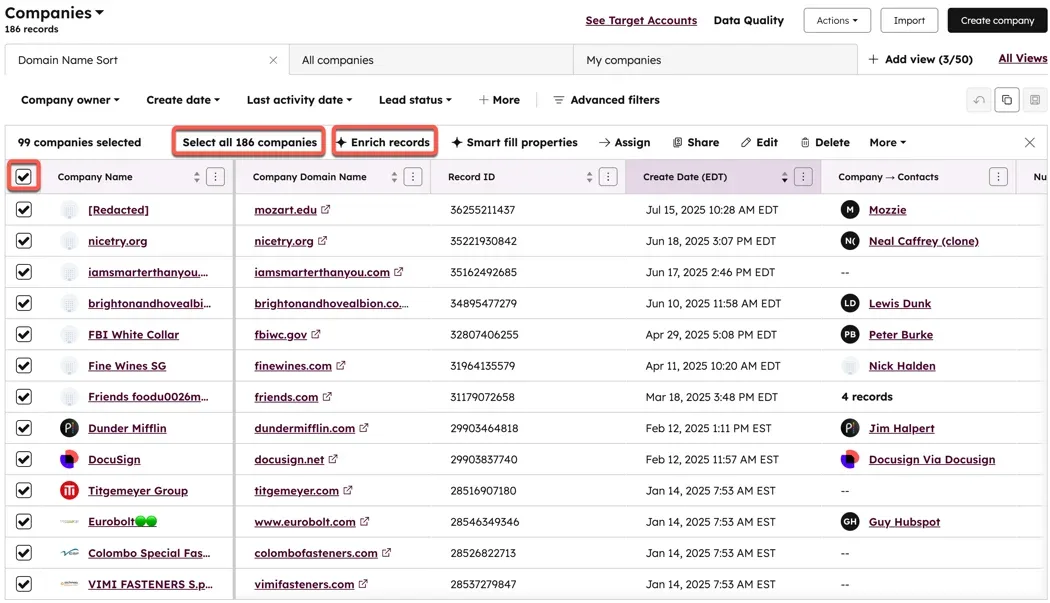
Today, that enrichment service is part of HubSpot Data Enrichment (formerly Breeze Intelligence). That means new standalone Clearbit subscriptions are no longer available, and many of the platform's standalone products have been retired.
When a new company or contact enters HubSpot, Data Enrichment automatically fills in missing business information. The same data also powers Buyer Intent and Form Shortening, so your sales and marketing teams see more complete records without adding another enrichment tool.
Source: HubSpot
That's also what separates it from the other products in this comparison.
Veridion, Coresignal, Bright Data, Diffbot, and People Data Labs all let you retrieve company data from your own software, regardless of which CRM you use.
However, Data Enrichment only works inside HubSpot. So if your sales and marketing teams already use HubSpot, it keeps company and contact records up to date without adding another tool.
But if you need company data across multiple CRMs or in your own software, a standalone API is the better choice.
Bright Data
Most B2B data APIs return information they've already collected and organized. That works well until the information you need changes faster than a business database can keep up.
You might need today's product prices, a competitor's latest product catalog, or new customer reviews. That information appears on public websites first.
Bright Data provides several APIs to help you collect it as soon as it's available.
The Web Scraper API returns structured data from hundreds of supported websites without requiring you to build your own scraper. If a website relies on JavaScript or interactive content, the Browser API loads the page as a real browser would.
When you need information from an entire website, the Crawl API discovers pages and extracts data at scale. Bright Data handles the browser infrastructure and anti-bot systems in the background.
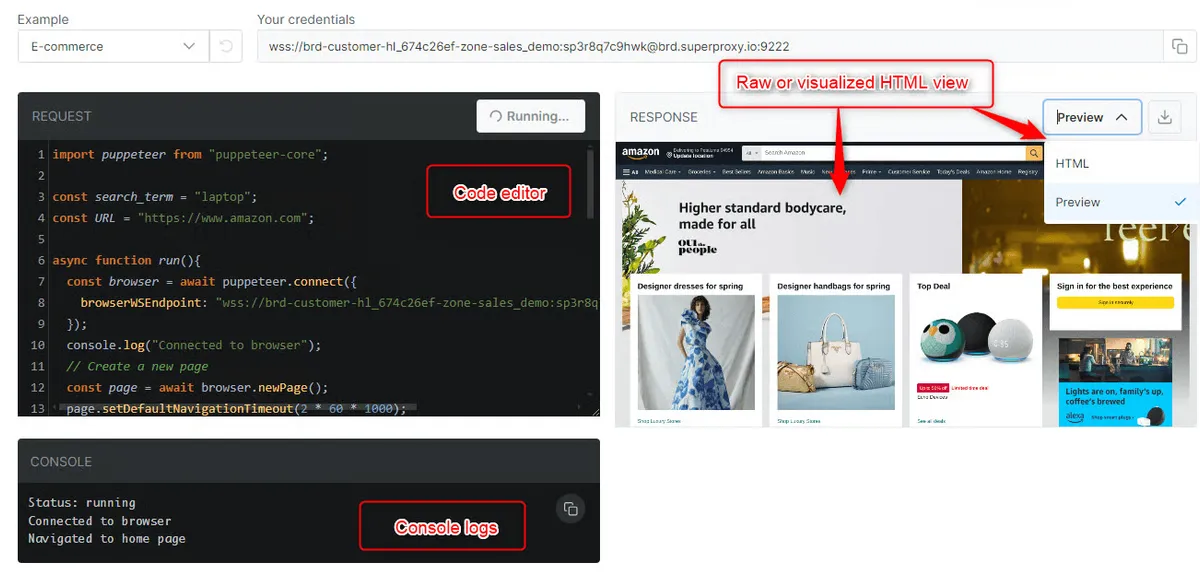
Source: BrightData
That’s also what makes Bright Data different from the other APIs in this comparison.
Veridion, Coresignal, and Clearbit return data they've already collected. Bright Data starts with the live website instead.
If a supplier updates its inventory or a competitor changes a price, you can collect the latest information as soon as it appears online instead of waiting for a provider to refresh its database.
That flexibility comes with one important trade-off.
Bright Data collects web data, but it doesn't organize it into company profiles or standardize records for you. If you need clean business data, you'll have to prepare it yourself or combine Bright Data with a business data provider.
Diffbot
Finding information on the web isn't usually the difficult part. The difficult part is finding the right information without searching hundreds of websites one at a time.
Diffbot is built to solve that problem.
Instead of asking you to collect and organize information from the web yourself, Diffbot continuously discovers content and organizes it into a searchable Knowledge Graph.
Companies, people, products, articles, and other entities are already connected in the Knowledge Graph before you run a search.
So instead of searching hundreds of websites for companies that match your filters, you can search the Knowledge Graph directly and retrieve matching companies and the entities connected to them.
That's the foundation of the platform. The APIs simply give you different ways to work with that Knowledge Graph.
If you're looking for companies that match specific criteria, the Knowledge Graph Search API lets you search them directly.
If you already have a company or person, the Enhance API enriches that record with additional information from the Knowledge Graph.
If you need structured data from a specific webpage, the Extract API turns that page into structured data, and the Crawl API does the same thing across an entire website.
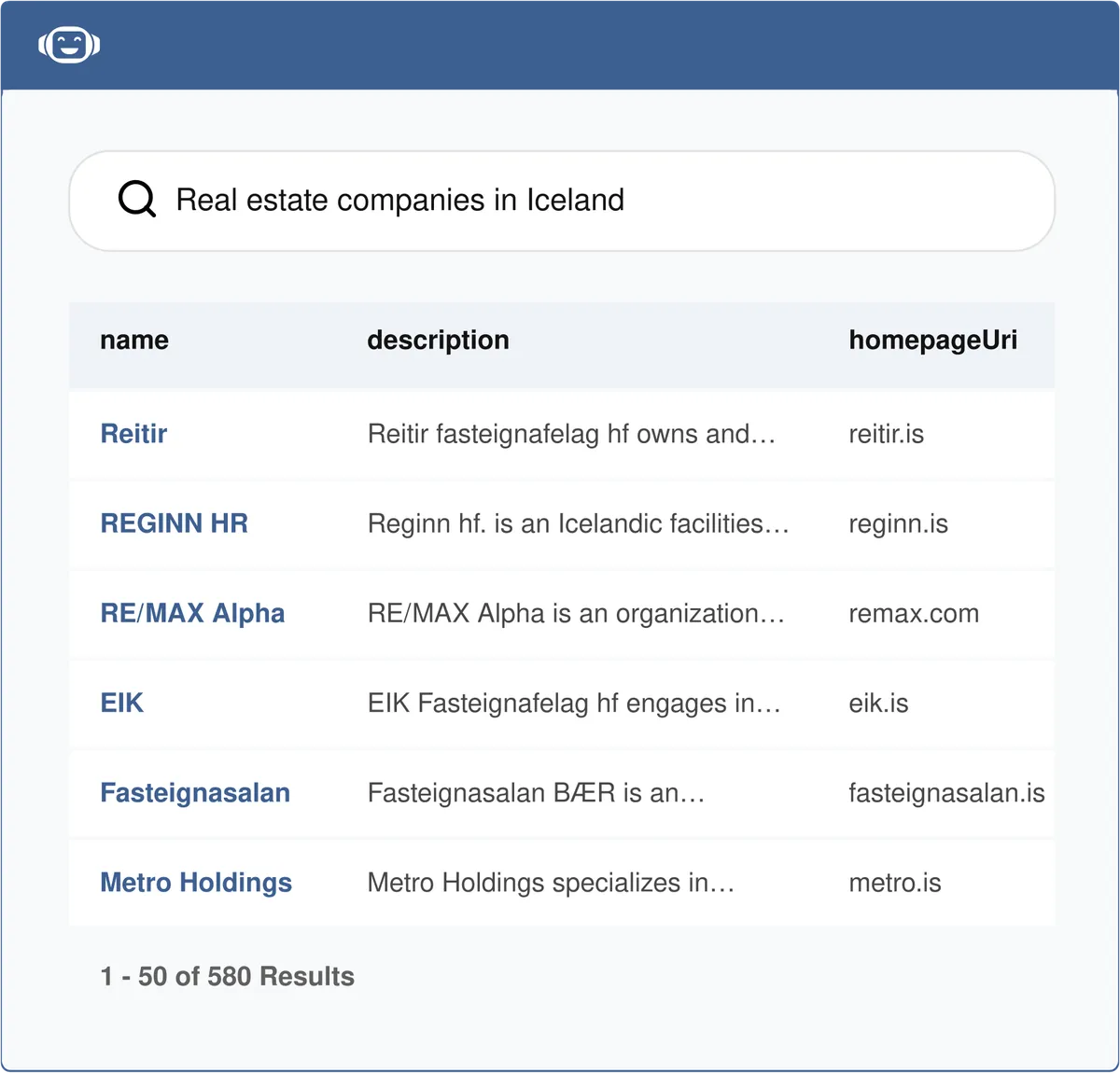
Source: Diffbot
However, as you start working with the Knowledge Graph, one implementation detail is worth keeping in mind.
Basic entity searches are easy to get started with. But if you need more complex queries, such as combining multiple filters or grouping results by industry, location, or other attributes, you'll need to learn Diffbot Query Language (DQL). That learning curve is the trade-off for having much more control over what you retrieve from the graph.
That workflow is also what separates Diffbot from Bright Data.
With Bright Data, you would first collect webpages and then organize the data yourself. With Diffbot, the companies are already organized in the Knowledge Graph, so you can search them directly.
Starting with a Knowledge Graph also shapes the kind of data Diffbot is best at providing.
Diffbot brings together many kinds of public information in one place. That's valuable when you're discovering companies, monitoring industries, or following news.
However, if your work depends on detailed company intelligence, a specialized business data provider will usually provide richer firmographic and operational data. Diffbot, meanwhile, focuses on connecting companies to information across the web rather than building deep company profiles.
One final consideration is how you query that data at scale.
Exporting a Knowledge Graph entity consumes significantly more credits than extracting a single webpage. So before exporting results, make sure your search already filters for the companies you actually need. Otherwise, you'll spend credits downloading records you won't use.
People Data Labs (PDL)
Finding the right company doesn't always tell you who to contact.
Before you can enrich a person, you need to know that the name, email address, employer, and other identifying details all belong to the same individual.
PDL determines whether those details belong to the same person before returning a profile. Once it confirms the match, you can use that profile to enrich CRM records, source candidates, or support any workflow that depends on accurate professional identity data.
Its three core person APIs each support a different step in that process.
If you don't know who you're looking for, the Person Search API helps you find people using filters such as company, job title, location, and skills. When several people could match the information you have, the Person Identify API ranks the strongest matches by score. Once you've confirmed the correct individual, the Person Enrichment API returns that person's profile.
Before you build on those APIs, one implementation detail is worth understanding.
The Person Enrichment API returns a likelihood score from 1 to 10 that shows how confident PDL is that it found the right person. You can also set a minimum likelihood threshold so the API only returns matches above the confidence level you choose.
The Person Identify API also works differently. It consumes one credit per request, including those that don't find a matching person. So it's worth providing as much identifying information as possible before using it at scale.
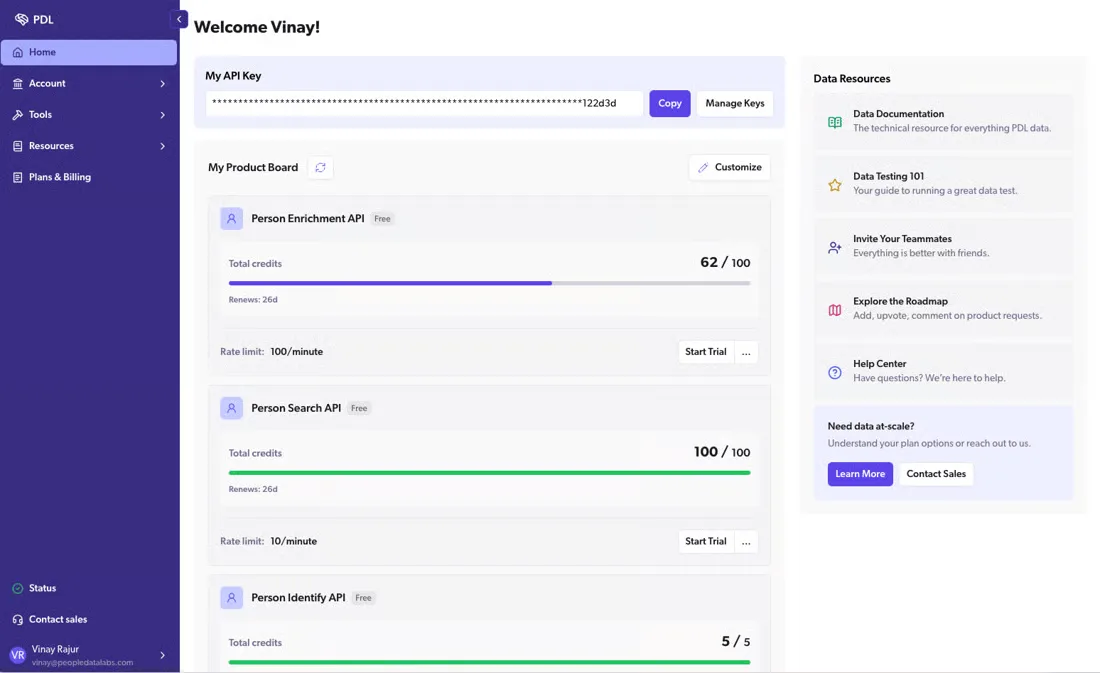
Source: People Data Labs
This focus on professional identity also shows where PDL fits best.
PDL returns detailed professional profile information. However, if your work depends on ownership structures, supplier relationships, or operational data, a specialized company data provider will offer much deeper business context.
Conclusion
The APIs in this comparison often return similar results, but they don't all get there the same way.
Some providers verify companies before adding them to their databases. Others collect information from websites, connect related information from across the web, or match names, email addresses, and employers to the right person.
Those differences aren't always obvious when you're comparing feature lists. Yet they're often what determines how complete, current, and reliable the data will be once you start using it.
This guide should give you a clearer understanding of what each platform does best and the trade-offs that come with each approach.
Articles
Discuss how these trends affect your organization.
Our analysts are available for a short call. Bring a specific question and we will ground it in the data.
Insights
Keep reading
More analysis, research, and outcomes grounded in live company intelligence.
No Humans in the Loop: How AI-Powered Entity Resolution Automates B2B Data Matching
Tired of manual B2B data matching? See how AI-powered entity resolution drives decision automation, eliminating human error and boosting efficiency.
What is Decision-Grade Data? Fueling B2B Algorithmic Decisions Without Compromise
Tired of inaccurate B2B algorithmic decisions? Unlock Decision-Grade Data for flawless automation. Learn how to fuel your strategies.
Data-Driven Intelligence: Scaling Market Research via AI Data Pipelines
Tired of manual market research? See how AI data pipelines and decision automation are revolutionizing insights and scaling your business.